


Accelerate your developer onboarding with helpful git commit messages
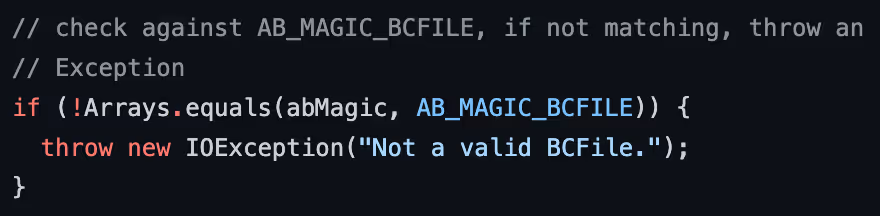
How do most developers learn a new code base? This would be a really interesting sociological study. There are some threads on the internet where people have volunteered anecdotes, but the type of developer who answers these threads may or may not be representative of the developers who might be joining our teams.
Perhaps, then, we should consider the flip side of this question: how do you write your code in a way that makes it easy for developers to ramp up? There are obvious places that developers could be expected to look first: documentation, test cases, and working code they can run. These are absolutely things that you should keep up-to-date. However, not many people talk about using version control history as a means to learn the code base. Given how essential it is to many modern development processes, version control (and now I’ll stop pretending — I want to talk about git) is underutilized as a means of knowledge sharing.
Commit messages are better than comments
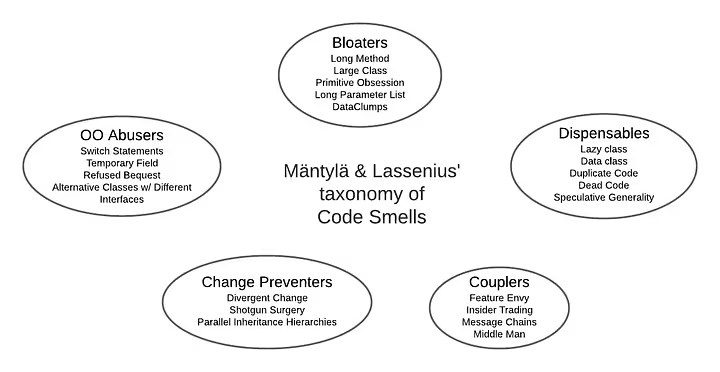
Comments are often the expected way to convey information that isn’t adequately expressed in the code. However, there are schools of thought these days, including Martin Fowler’s latest edition of Refactoring, that consider comments to be a code smell (although Fowler has taken care to caveat this characterization, as will probably most devs who share this opinion). The reasoning is that if you need a comment to explain your code, then your code probably isn’t written clearly enough. Beyond that, comments lead to so many other problems: needless restatement of the code’s logic, misleading statements, out of date information, or irrelevant noise.
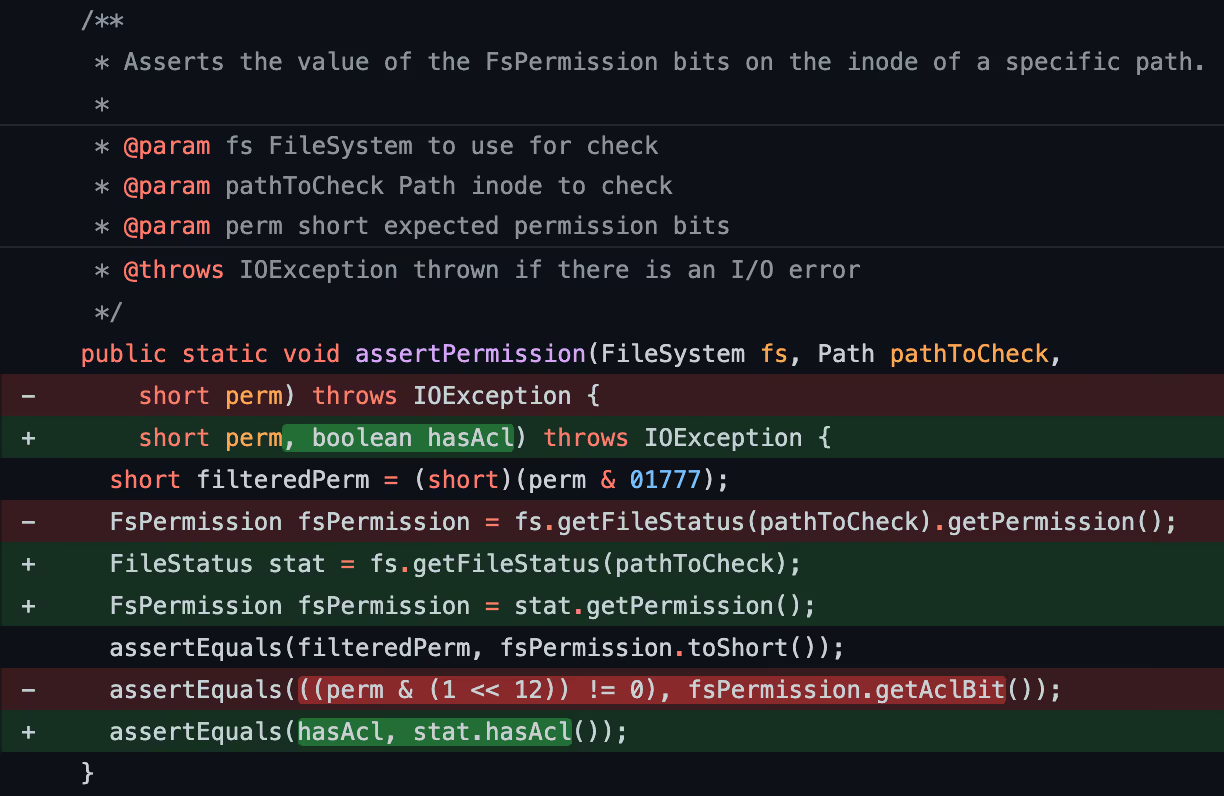
Whether or not comments are a code smell may be still controversial, but I humbly submit that commit messages offer at least two immediate and distinct advantages. First, they will always be in sync with the code, as the commit message is forever tied to the code change at that moment in time. Second, they provide ample space to write up explanations that would be difficult to put appropriately in the space of a comment, as we will see in an example later on.
Comments that aren’t written for machines (e.g. automatic doc/diagram generation) are typically written for other developers, who we assume have knowledge of our code base. Thus, we would not write comments containing basic explanations like, “This framework uses this convention to do X, so we follow this convention to take advantage of the framework behavior”. On the other hand, this is completely acceptable information to put in a commit message, even if it seems obvious to the developer. If you showed this to a new developer, they would simultaneously learn something about your code base and something about your framework all while keeping your code uncluttered and ensuring duplicative documentation isn’t cordoned off in a separate place. Git commit messages can offer the best of all worlds, but we as engineers still have not embraced them properly.
Good and bad commit messages
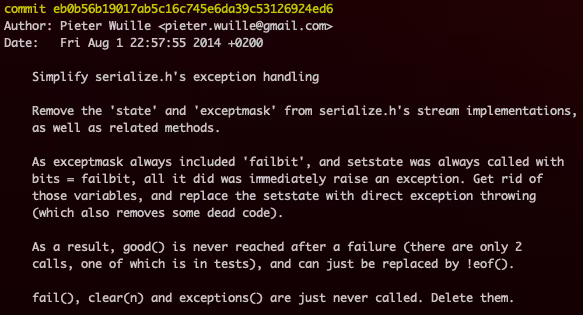
Chris Beams has an excellent post on the hows and whys of high quality git commit messages, (and he gets bonus points for including an xkcd cartoon) so we will recommend his post rather than restate his words.
However, I want to add that a good commit is one where the diff, combined with the commit message, provides enough context for an uninitiated code reader to understand the motivation behind the change. Chris Beams’ example of a well-written commit message is also a great example where an uninitiated developer can learn how the code works without any comments. By calling out specific keywords like setstateand good() and the problems the code was running into, a reader can focus on these keywords and follow the changes in logic (in this case these functions were being removed due to the code’s inability to reach them, as explained in the commit message).
The bitcoin repo has many examples of great commit messages, but it also has one-line messages that don’t fully explain what they’re doing. It’s possible that the code diff is self-explanatory enough that I wouldn’t go out of my way to give the developer a hard time. For example here is a commit where the message is a bit careless:
check for null values in rpc args and handle appropriately
This message doesn’t tell us what problem the commit solves. Based on the diff however, I assume there was a problem where the APIs were being called with extra parameters explicitly set to null, so the developer wanted to treat this scenario the same as if the parameters were missing. It only took me a few seconds to reach this conclusion (though I could be wrong), so taken together with the lazy commit message, this is not an overall frustrating commit.
However, the truly frustrating type of commit message is the one where the developer assumes what they’re doing is too obvious to require explanation. Here is a commit where the patch version of a dependency was updated, where the commit message simply says:
scripts: LIEF 0.11.5
When I see this message and the very simple diff that follows, I want to rattle off a series of questions:
- Why did you have to update this library?
- What problems were you seeing with 0.11.4?
- What will happen if I don’t take your patch and try to run the scripts?
Simply put, I’m not familiar with LIEF, so it takes me several minutes of following links to find that their changelog lives on an external website, that version 0.11.5 fixed three different issues, and after all this I still don’t know which issue was affecting the bitcoin scripts.
(I apologize to the person who made the above commit for randomly singling them out on the internet. They are clearly good enough to be a bitcoin core contributor, and there are way worse commit messages in repos we don’t want to use as examples. If you are the person who I unfairly singled out, allow me to virtually buy you a drink sometime.)
Taking advantage of git history
For developers learning a new code base, git provides some useful tools that I think are underutilized as a means of understanding the development team’s thinking process and the problems they’ve been dealing with. These are some commands I find myself using frequently when I am learning a codebase — and even when doing archaeology on old codebases that I am familiar with:
git blame <file>
When I am completely new to a code base, I find that this can be a good way to learn more about code files than simply reading it from top to bottom. I think it is a useful exercise to locate a file that looks central to the application and just look at the blame view alone. For example in the blame view for src/rpc/blockchain.cpp in the bitcoin repo, we can see which chunks have been there since the beginning of time, and which lines have been added as feature additions or bug fixes.
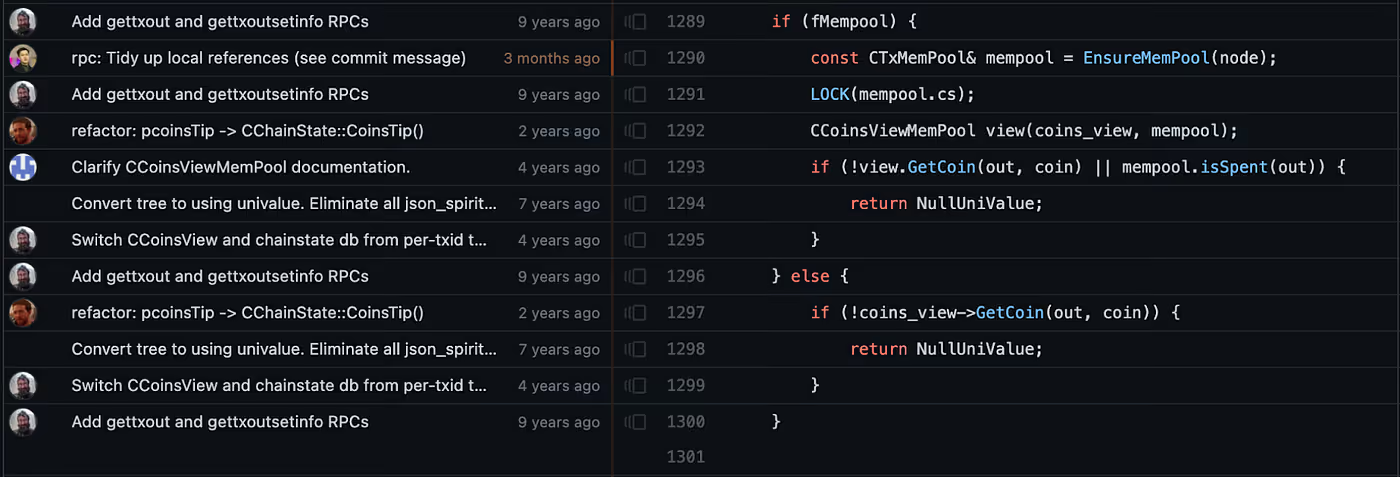
git blame is also probably one of the most useful commands when we see lines of code that look sketchy and want to check if the developer wrote them intentionally.
There are two times when git blame is not particularly useful. The first, as you may have gathered already, is when developers have not taken care to make self-contained, understandable commits. The second is when code has been removed, and useful changes do not show up in the blame view as they are not in the current version of the code base. For the second scenario we need git log.
git log <file/folder>
git log by itself is a good way to discover important commits where you could potentially learn a lot about the repo in a single commit. When the repo is large, it is often more useful to apply this technique to folders. For example, running git log on the test folder can reveal commits that involve changes in behavior (provided the developers are doing a good job of including application code changes and related test code changes in the same commit).
git log –stat
The super useful --stat argument is used to show a list of the files that changed between two versions. This argument can be passed to git show, git diff, and git log. With git log, this is a great way to get an overview of files that have been created, deleted, or moved around.
For code learners, git log --stat can very quickly reveal things like when a whole chunk of files was added or when changes were made to a chunk of files, giving a sense of what priorities the developers were focused on at the time.
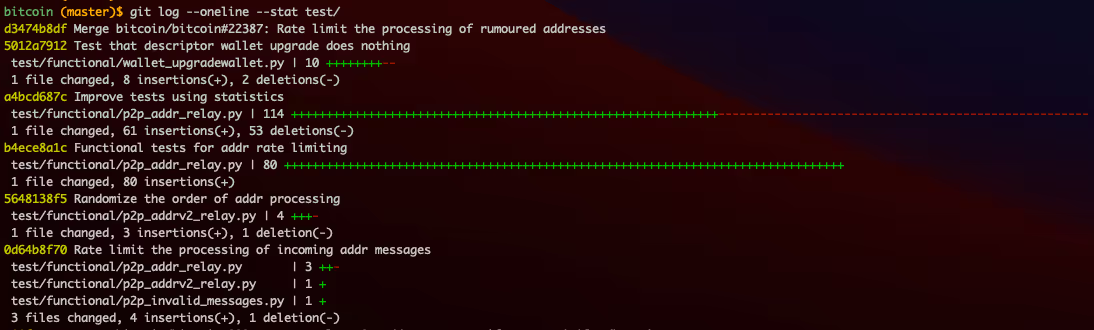
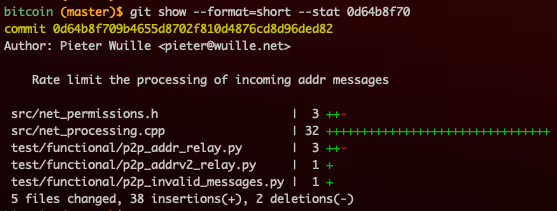
When working on a feature branch, I will often run git log --stat after multiple commits to read through my own work and check whether it makes sense to code reader.
Optimize for new developers and future selves
All the git techniques described above come with the caveat that their usefulness depends on the practices of the development team. As developers who intend to grow our teams, we can put practices in place to give new developers a friendlier environment for learning.
These practices are:
- Make your commit messages newcomer-friendly. Always explain why you are changing what you are changing, and what problem it solves. Don’t assume a change is obvious just because the diff is small. Include any links to background reading if applicable so the new developer doesn’t have to go searching for it.
- Include code changes and associated test changes in the same commit.
- Avoid allowing fixup commits (e.g. formatting and whitespace changes) to get into the mainline branch. I personally do this with local interactive rebasing, but teams with diverse developer backgrounds may prefer a solution with less of a learning curve, such as squash merges on GitHub. (That being said, thoughtbot has a free video on git technique that I think is worth the 24 minutes.)
If you’re on a team with more than a few developers, are onboarding new developers or plan to onboard them in the future, I encourage you to try out some of these techniques. I would also love to hear how these work out for you and if you have any other tips to add!
Special thanks to Brendan Keeler and Bryan Knight for their invaluable support and feedback on this article.

Explore the latest content from Zus
Explore articles, case studies, succes stories and insights on modern health care.


Zus Health Achieves HITRUST r2 Certification, Demonstrating Commitment to Cybersecurity and Information Protection

No Second Chances: How Zus Helps Providers Use AI to Get Risk Capture Right the First Time
Feature Fridays: Turning Condition Chaos into Clinical Clarity for Improved Care

Reimagining the EHR: From System of Record to System of Orchestration

The End of Retrospective Risk Adjustment: Why Prospective Coding Is the New Standard
Zus Health Helps Value-Based Care Organizations Capture Accurate Risk with Intuitive, Evidence-Based Workflows

The One Big Beautiful Bill Reforms Won’t Make Medicaid More Efficient, But Common Patient Records Will

We Could Cut US Healthcare Costs in Half Tomorrow by giving it CPR…Common Patient Records.


Feature Fridays: Finding the Records Others Miss with Zus’ Record Locator Service

Feature Fridays: Making Medication Management Smarter with Medication Journey Enrichment

Zus Health Recognized as Early Adopter in CMS Interoperability Framework
Feature Fridays: Keeping the Patient Record Always On with Intelligent Refresh
Feature Fridays: There’s a New CPR in Town that’s Changing how Care is Delivered

Feedback Zus shared with CMS: Building Smarter Infrastructure for Data-Driven Care



Pipe Dreams: Converting ADT Noise into Transitions of Care Clarity

Strengthening the Future of Value-Based Care: Reflections on Health Care Value Week

Zus Health Celebrates Unprecedented Growth, Announcing New Clients and AI-Powered Innovations



Bracing for the Presidential Election: Healthcare on the Political Divide









Zus Health Joins athenahealth's Marketplace Program to Bring Real-time Clinical Data to the Point of Care

















Zus Health Closes Financing, Signs Partnership with Elation Health, to Accelerate Growth of its Data Service to Provide Connective Tissue for Healthcare









Zus and Healthie Partner to Empower Digital Health Organizations to Access Patient Health History